Email Development
Using an Email Preview Tool: Why Email Client Testing Matters
Ever wish you could see into the future of your email marketing campaigns? What if you had some sort of “Spidey-sense” that helped you catch problems with emails before they ended up in inboxes? That’s what an email preview tool can do for you.
Picture this… You’ve dedicated days, weeks, and maybe even months to your email marketing campaign. Wouldn’t it be awful if your layout and graphics came out all mangled?
The truth is, that sort of thing happens to HTML emails all the time. What may look absolutely perfect in your email builder looks like a hot mess in some of your subscribers’ inboxes.
That’s why here at Sinch Email on Acid, we like to say, Test every email, every time! When sending email campaigns, an email preview tool is your best friend. Let’s explore what email previews are and why using them is so convenient. We’ll also touch on how Email on Acid’s testing solutions improve your email marketing campaigns.
You might assume the mobile, desktop, and tablet previews available in lots of email marketing software are all you need. However, as you’ll find, an email preview tool shows you much more than that.
What are email previews?
As an email user, a preview might be what you see in a pane inside your inbox before you open the message. But email previews take on a different meaning when it comes to email marketing quality assurance (QA).
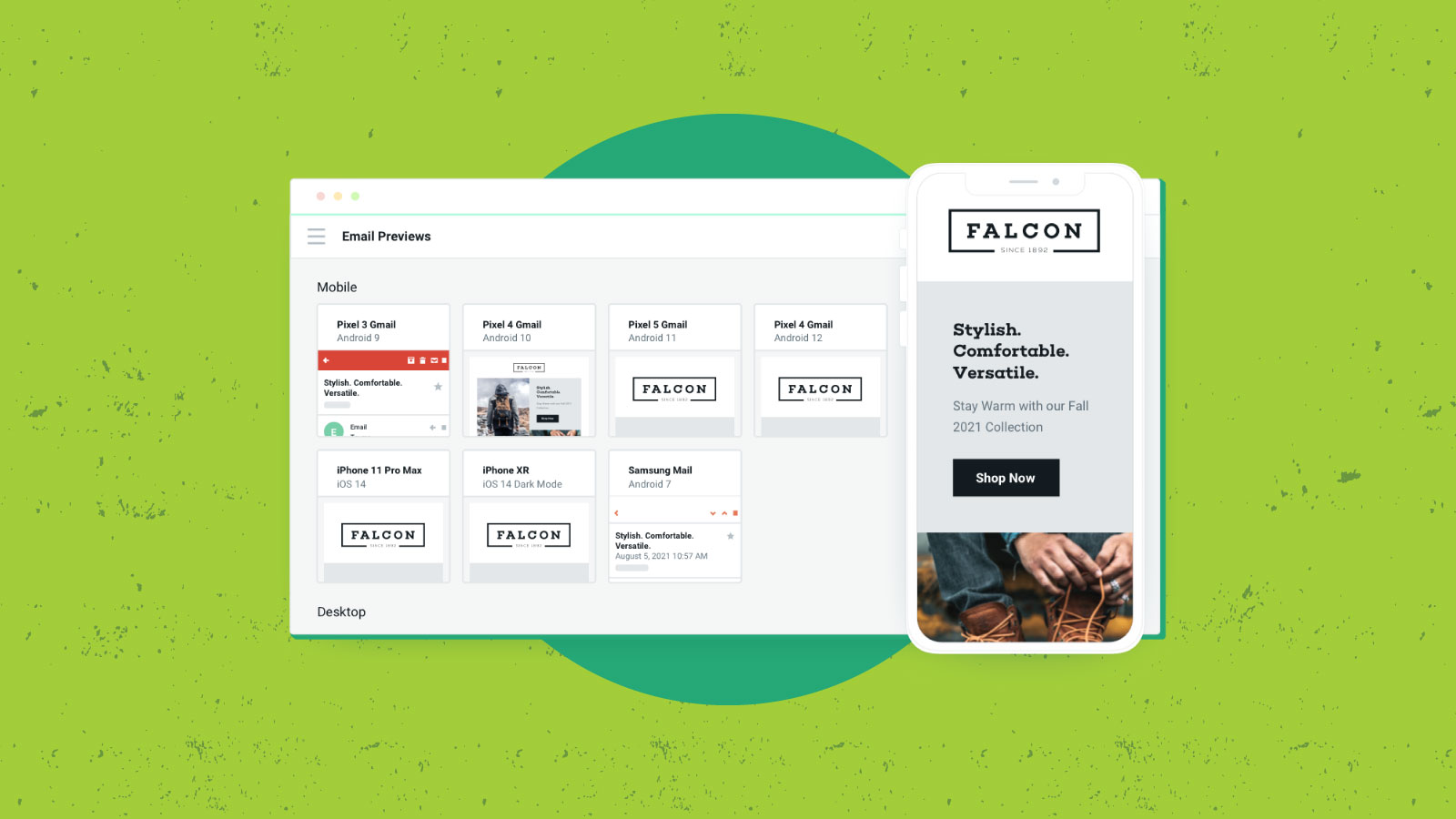
Email previews are sort of like a crystal ball that can see into your subscribers’ inboxes. They’ll give you an idea of what your HTML email will look like when it is opened in different email clients and devices. Email clients, like Gmail and Microsoft Outlook, differ in how they display the same email message because HTML and CSS handling aren’t standardized in email clients the same way they are on most web browsers.
In the most basic sense, email previews are screenshots of test emails. There are two types of email previews:
- Emulated previews simulate how specific email clients render emails. This enables you to preview emails without a physical device like a desktop or smartphone.
- Live previews render your emails by sending an email to an actual email client on a physical device and recording the results.
Email on Acid uses a combination of live and emulated previews, but we always produce previews from live email clients, which means the screenshots come from actual inboxes.
Why should I use an email preview tool?

While web development standards are relatively uniform – meaning HTML elements and CSS properties generally have the same support across web browsers – the same isn’t true for email development. In fact, there are a lot of differences between web and email development.
For example, Microsoft Outlook may block images that work perfectly in Gmail. Background colors in emails may render in Yahoo Mail but not in AOL. By testing and previewing your emails, you’ll prevent your messages from rendering incorrectly for your readers.
Here are some other reasons to use an email preview tool:
1. Microsoft Outlook
Outlook. That one word strikes fear and frustration in the minds of many email geeks. While every email client has its idiosyncracies, Outlook tends to be the problem child. For starters, if you wonder why email developers have to use tables so much, Outlook is the answer. Among the problems with this email client, Microsoft Word is the rendering engine for Windows desktop version of Outlook. (Have you ever tried to design something decent in Word?)
If you’re sending B2B email campaigns, fixing rendering issues with Outlook could be extra important. More than 1 million companies around the world use Office 365 with Outlook for email communication.
We’ll spare you the details here. But you can read about common Outlook rendering issues and find out how to fix them.
2. Dark mode discrepancies
In recent years, the rise of dark mode user interfaces has given email marketers another reason to test and preview campaigns. As with many other things, dark mode emails are handled differently depending on the mailbox provider. A reliable email preview tool delivers screenshots in both light and dark mode so email developers can adjust when needed. Find out more about the biggest dark mode email development challenges.
If you don’t test dark mode emails, weird color inversions can happen, copy could be unreadable, and your logo may disappear into the darkness.
3. Font failures
The font or typeface you choose to use could be important to your brand, including style guidelines you’re supposed to follow. But if you’re using web fonts or something very unique, it may not be supported on all email clients. For instance, did you know Gmail doesn’t support the display of Google Fonts? Strange but true.
If you aren’t testing and previewing emails, some subscribers may end up seeing a default font like Times New Roman. But previews can help inform email teams when they should be using font stacks as a fallback.
4. Technology changes
Email is always evolving, and so is the technology we use to consume our emails. Mailbox providers like Gmail, Apple Mail, and Yahoo Mail may start supporting something new, or changes could mean what used to work on certain email clients doesn’t anymore. A good source for researching and tracking email client HTML and CSS rendering support is the website Can I Email.
The latest mobile devices and new desktop and mobile operating systems can also impact the way emails render. That’s why, in 2022, Emai on Acid made sure to introduce email previews for iOS 16 and the latest Android operating systems.
Email previews allow you to see how emails look across a broad band of inbox service providers (ISPs) and devices. Why leave the success of your email up to chance? See exactly what your subscribers will see before you hit send. If you’ve ever felt the stress of email marketing, sometimes called “send button anxiety,” an email preview tool can help you get rid of that feeling.
Why do email previews matter?

When you first meet a new business partner, would you be impressed if they showed up with their paperwork all out-of-sorts and their data riddled with typos and mistakes? Probably not.
So it only makes sense that your customers wouldn’t find your brand impressive if they received an email from you with jumbled fonts, layouts in which the columns overlap and run together, and broken images that show up as little blank squares.
Email marketing campaigns are all about creating and sustaining engaging conversations with your customers. Make a great first impression by ensuring your emails display exactly as you intended. Email testing and previewing email rendering are essential in email marketing and an absolute must for email campaigns.
Preview emails to:
- Ensure your HTML email code displays as you intended.
- Maintain your credibility and reputation. You’ve worked hard to build a rapport with your subscribers. Don’t throw it all away with a broken email!
- Keep your sales and subscriptions up. Create and deliver good email content to engage with your subscribers and improve your open, click-through, and conversion rates.
If anything hits things home, it’s losing money. The cost of not testing your emails could be significant. Let’s say Outlook makes up 25% of your contact list. If those people are unable to view or effectively engage with an important promotion, you’re going to notice. With 25% of the list unable to convert, an email campaign that may have generated $20,000 in sales only gets you $15,000.
What are email preview tools?
Make email previews a part of your email QA workflow. But don’t do this manually! Look into automation via email preview services to streamline your testing process.
Not all email testing tools are created equally, and some, like Email on Acid, enable you to copy and paste HTML code to easily adjust possible errors. Our Email Editor lets you find and fix problems while testing them with real-time previews.
You will find some free email preview tools out there, but they are much less reliable as well as limited in scope and volume. The two most popular email preview tools come from Email on Acid and Litmus. If your email service provider (ESP) offers email client previews, there’s a good chance they are actually integrating Email on Acid into the platform or application.
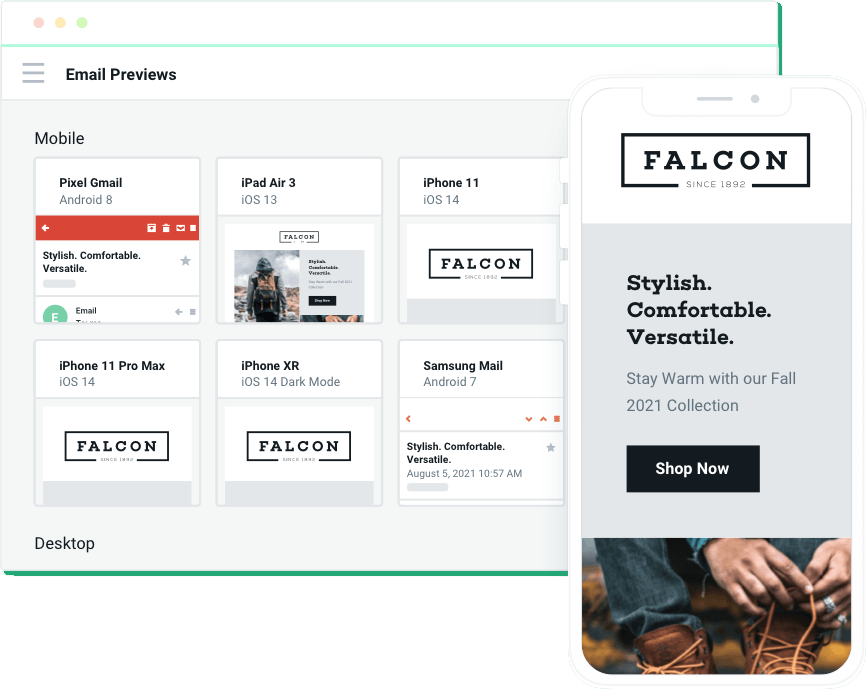
Email on Acid makes it easy to:
- Collaborate on email quality assurance. Check out how our team management features help marketing teams review, troubleshoot, review, and approve campaigns before launching.
- See how your emails will display in an email client with 100% accuracy – because we use screenshots from live inboxes.
- Perform unlimited tests. Not sure you got it right the first time? Test, test, and test again! You’ll never hit a preview limit with Sinch Email on Acid.
- See how your emails appear on different devices. You can preview email designs and layouts on the most popular devices including Google Pixels and the latest iPhones.
- Preview your email in light and dark mode. Find out if your designs have any issues in a darker user interface.
Still not convinced? Check out a sample Email on Acid test for a preview of our email previews.
Perfect your emails with Sinch Email on Acid
An email preview tool is an excellent way to make sure you put your best campaign into every subscriber’s inbox. However, that’s far from the only email testing solution we provide at Sinch Email on Acid.
We’ve built a complete pre-send testing workflow to help you catch all kinds of mistakes and problems before you hit send. That includes.
- Email accessibility checks – To make sure your campaigns are inclusive for people with disabilities.
- Deliverability tests – To find out if your domain is on a blocklist or if you might not make it through spam filters.
- Spell check – To catch those stubborn typos as well as accidental profanities in the email copy.
- URL validation – To make sure you aren’t sending subscribers to a 404 page.
- Image validation – To improve load speed and performance as well as check your animated GIFs.
- Inbox display previews – To see how your subject lines and preview text look in different situations
When you use our automated pre-launch workflow, Campaign Precheck, you can go through all of the steps above before you check out your email previews. Or, you can customize your email testing workflow based on your needs. But the best part? You can test and troubleshoot as much as you need to. Email on Acid offers unlimited testing on all plans.